Selecting manufacturing software can be difficult if you do not know what you are looking for in a manufacturing software solution. Prior to selecting any type of manufacturing software, you need to sit down and determine your needs. What are you looking to gain from investing in manufacturing software? Are you trying to get away from managing your business using spreadsheets and out-of-the-box bookkeeping software? Or do you need a solution that can help you better manage your warehouse processes and keep better track of your inventory?
Read More
Topics:
Manufacturing ERP Software
Excel Tips and Tricks / Business Reporting Question: In Excel 2010, is there a way to automatically highlight upcoming and past due dates?
Read More
Topics:
Business Reporting,
Excel Tips and Tricks
Excel Tips and Tricks / Business Reporting Question: I would like to have two fields for analyzing sales in the PivotTable, one in a percentage format and the other in a value format. How can I accomplish this?
Read More
Topics:
Business Reporting,
Excel Tips and Tricks
Excel Tips and Tricks / Business Reporting Question: How can I create my own calculated fields to include in the PivotTable? I intend to have a mark-up of 25% on the sales figure and then calculate the profit.
Read More
Topics:
Business Reporting,
Excel Tips and Tricks
Excel Tips and Tricks / Business Reporting Question: How do I create an interactive report that can quickly be used to summarize large amounts of data?
Read More
Topics:
Business Reporting,
Excel Tips and Tricks
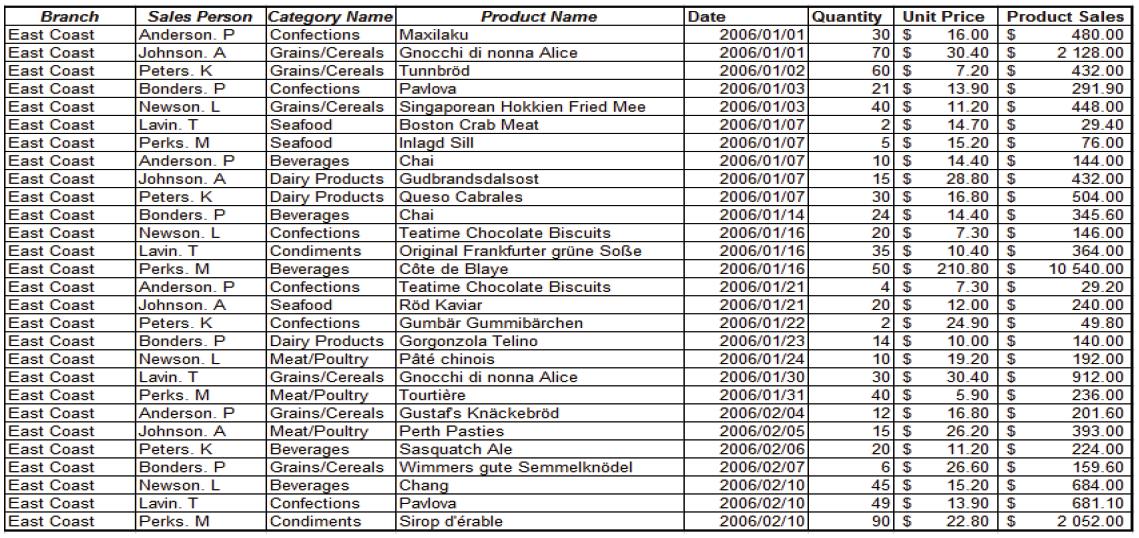
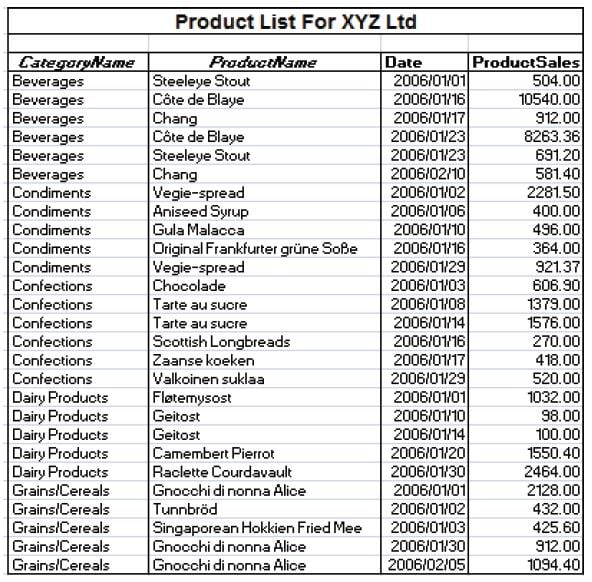
Excel Tips and Tricks / Business Reporting Question: I have a long data list of products & selling prices stored in an Excel sheet. Is it possible to have a breakdown of subtotals for each product category?
Read More
Topics:
Business Reporting,
Excel Tips and Tricks
Excel Tips and Tricks / Business Reporting Question: We have just upgraded from MS Excel 2007 to MS Excel 2010. When applying conditional formatting in MS Excel 2007 we were unable to display negative data bars. Can this be done in MS Excel 2010?
Read More
Topics:
Business Reporting,
Excel Tips and Tricks
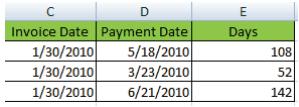
Excel Tips and Tricks / Business Reporting Question: Is there a function in Excel that I can use to calculate the number of days between 2 dates. I would like to work out the number of days between an invoice date and invoice payment date.
Read More
Topics:
Business Reporting,
Excel Tips and Tricks
In 2012 the names of many of Sage’s core accounting and ERP lines will be changing. These products will be identified with a numbering approach where higher numbers denote increasing levels of product capability or sophistication. The new product numbering sets will include Sage 50, Sage 100, Sage 300, and Sage 500. This will also bring the Sage naming system in North America in line with the Sage naming structure worldwide.
Read More
Topics:
Sage PFW ERP,
Sage 300 ERP,
Product News,
Sage 50





 © 2019 PositiveVision • 219 E. Thorndale Ave. Roselle, IL 60172