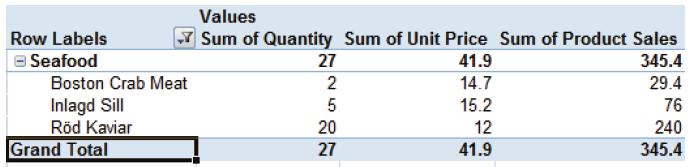
Excel Tips and Tricks / Business Reporting Question: How can I create my own calculated fields to include in the PivotTable? I intend to have a mark-up of 25% on the sales figure and then calculate the profit.

Excel Tips and Tricks / Business Reporting Question: How can I create my own calculated fields to include in the PivotTable? I intend to have a mark-up of 25% on the sales figure and then calculate the profit.
Topics: Business Reporting, Excel Tips and Tricks
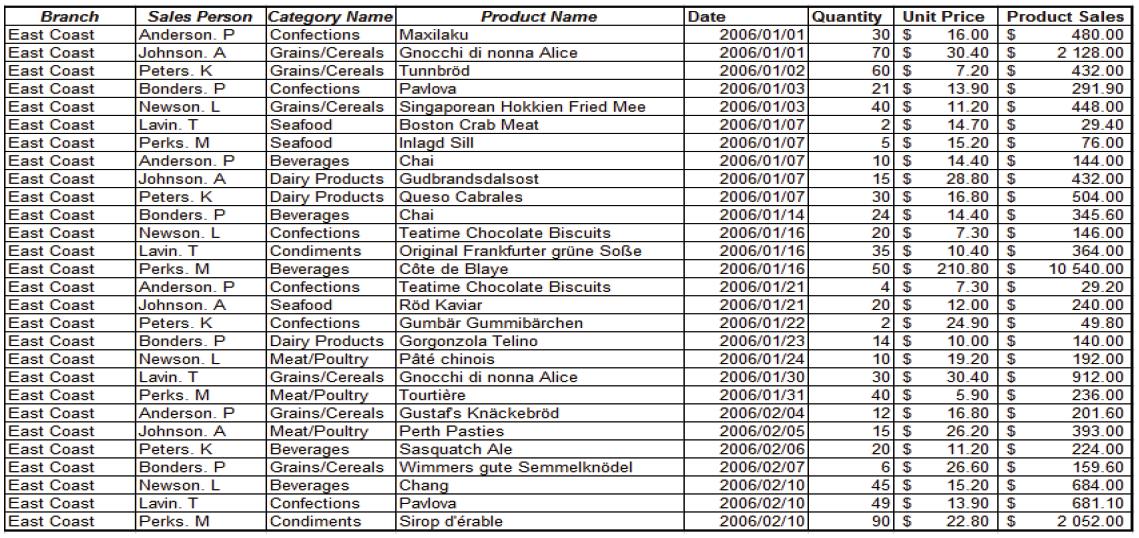
Excel Tips and Tricks / Business Reporting Question: How do I create an interactive report that can quickly be used to summarize large amounts of data?
Topics: Business Reporting, Excel Tips and Tricks
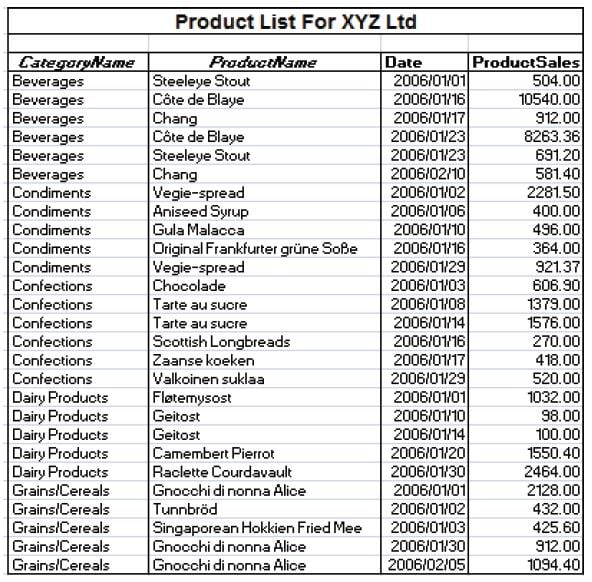
Excel Tips and Tricks / Business Reporting Question: I have a long data list of products & selling prices stored in an Excel sheet. Is it possible to have a breakdown of subtotals for each product category?
Topics: Business Reporting, Excel Tips and Tricks
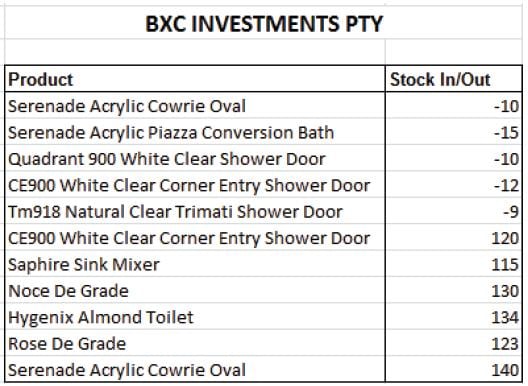
Excel Tips and Tricks / Business Reporting Question: We have just upgraded from MS Excel 2007 to MS Excel 2010. When applying conditional formatting in MS Excel 2007 we were unable to display negative data bars. Can this be done in MS Excel 2010?
Topics: Business Reporting, Excel Tips and Tricks
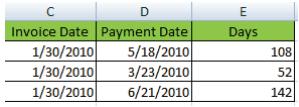
Excel Tips and Tricks / Business Reporting Question: Is there a function in Excel that I can use to calculate the number of days between 2 dates. I would like to work out the number of days between an invoice date and invoice payment date.
Topics: Business Reporting, Excel Tips and Tricks
In 2012 the names of many of Sage’s core accounting and ERP lines will be changing. These products will be identified with a numbering approach where higher numbers denote increasing levels of product capability or sophistication. The new product numbering sets will include Sage 50, Sage 100, Sage 300, and Sage 500. This will also bring the Sage naming system in North America in line with the Sage naming structure worldwide.
Topics: Sage PFW ERP, Sage 300 ERP, Product News, Sage 50
Make-to-order and make-to-stock manufacturing ERP software look and sound similar at first glance; however, their processes are distinctly different. Make-to-order software links production orders to one or more sales orders while make-to-stock software bases production on sales prognosis. Make-to-order and make-to-stock manufacturing software will have implications on your ERP system. Make sure you know the implications for both before deciding which software your company will choose.
Topics: Manufacturing ERP Software
Once you decide to implement Electronic Data Interchange software, it is crucial that you select a provider who can give you the full service this solution requires. You don’t want someone who will just set up the system and leave you to figure out the rest! The following 6 questions will help you ensure that you’re getting a partner who will go the distance with you during and after the implementation.
You may have heard of go-to-my-pc, log-me-in or several of the other affordable remote computer access programs. While many companies are considering the implementation of web based remote access software for their employees, others aren’t sure if applications like these are right for them. In this article we will cover some of the important factors you should consider before making the leap.
Topics: software and technology consultants, Remote Computer Access

 © 2019 PositiveVision • 219 E. Thorndale Ave. Roselle, IL 60172